
InvoiceRate
Create invoices, handle KSeF documents, track payments, and prepare accountant-ready records from your phone.
About InvoiceRate
- Role: Founder, product designer and builder. I handled the research, UX, UI, frontend, backend, hosting and store submission.
- What it is: A mobile workspace for invoices, KSeF, tax and payments. The Home, Invoices, New, Clients and More navigation keeps revenue, balances, KSeF, reports and settings within easy reach on a phone.
- Where it runs: Live on the App Store and Google Play, with a companion site at invoicerate.com. It was built for the Polish market first, with PLN, VAT, PIT, ZUS, JPK, UPO evidence, bilingual invoices and official KSeF workflows. The everyday interface is written for people who are not accountants.
Mobile billing system
See the state of the month from your phone.
Home, Invoices, More and KSeF Centre keep monthly totals, invoice creation, balances and compliance records within reach without opening desktop accounting software.
- Primary surface
- Home cockpit
- Local readiness
- KSeF, VAT, PIT
- Outcome
- iOS and Android live
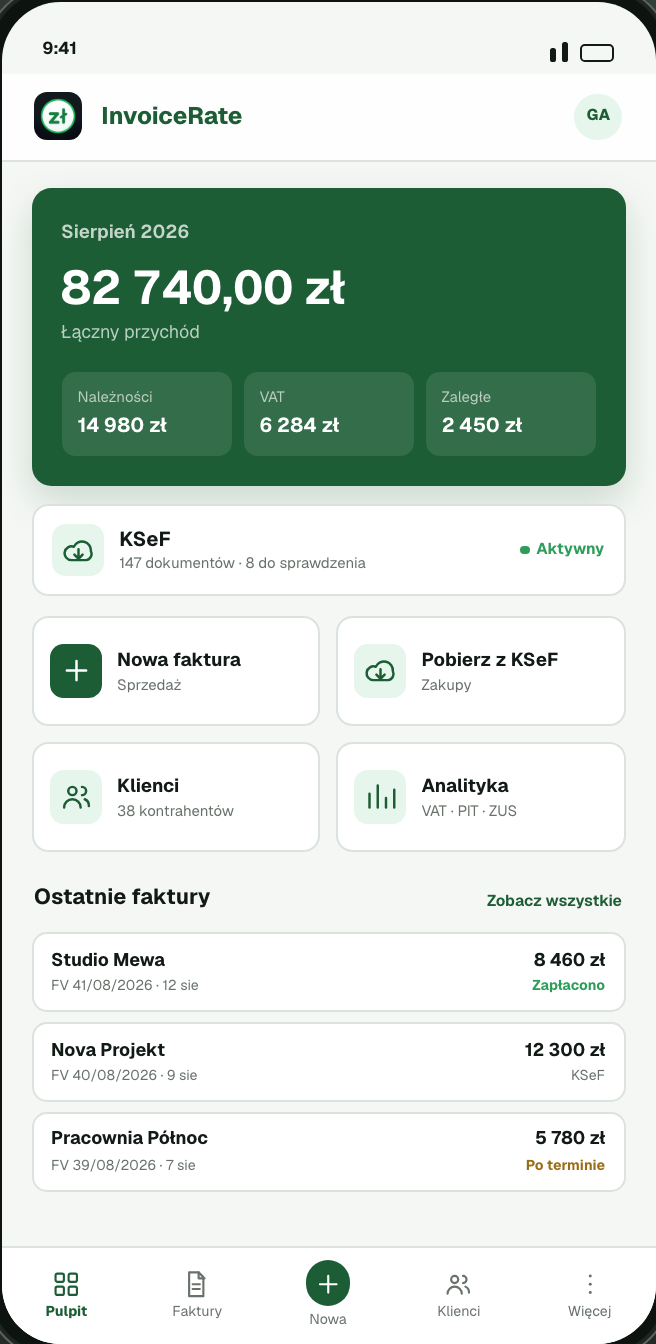
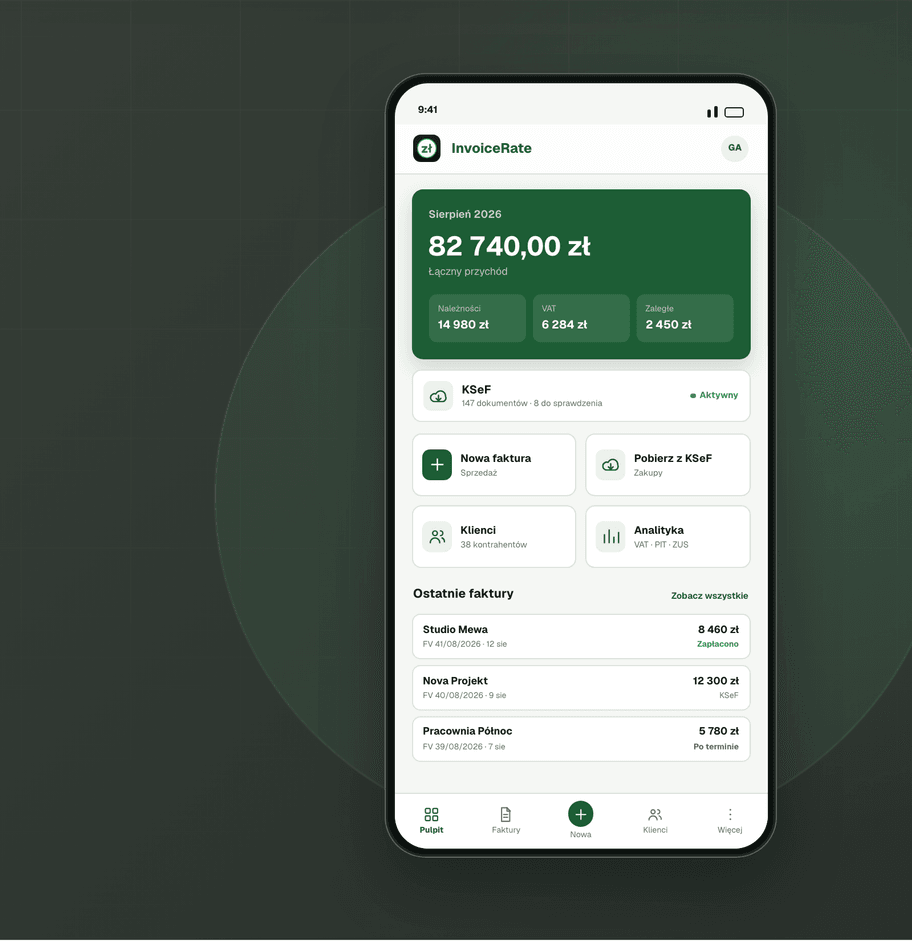
Monthly cockpit
See revenue, VAT, KSeF and recent invoices from Home.
The home screen shows total revenue, receivables, VAT to pay, overdue amounts, KSeF status, quick actions and recent invoices.
- Revenue
- PLN 18.4K
- Receivables
- PLN 4.9K
- VAT to pay
- PLN 1.2K
- Create invoice
- Import KSeF
- Check recent invoices
The problem
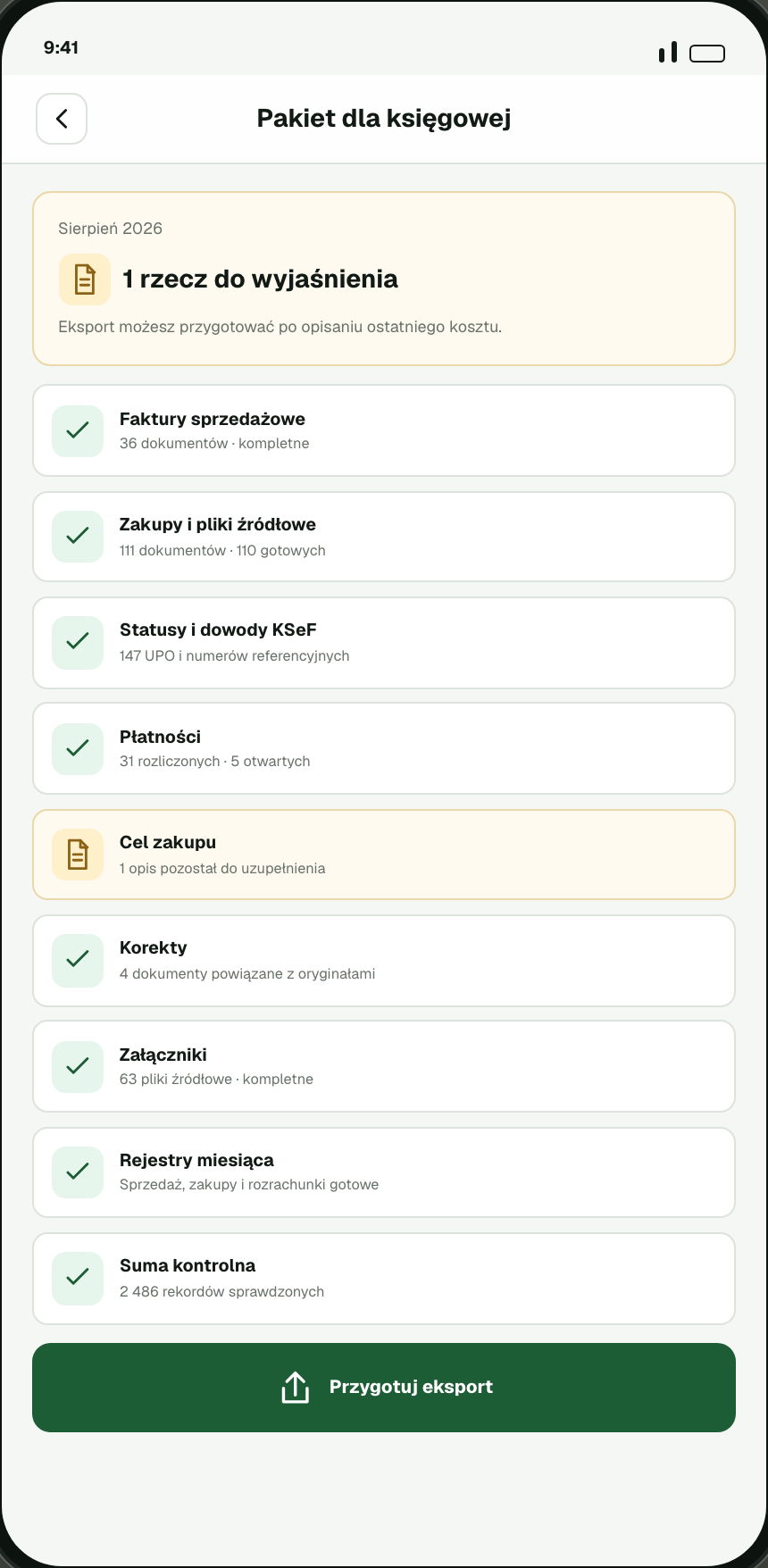
Freelancers and small teams often handle billing between jobs, on site or after hours. Many accounting tools rely on dense desktop dashboards, long forms and tax knowledge the owner may not have. That leaves invoices late, payments forgotten and KSeF evidence stored somewhere else. It also makes a basic question hard to answer: “What is still missing before this month can go to the accountant?”
Small business owners rarely want an accounting platform. They want to issue a clean invoice, know whether KSeF accepted it, mark it paid when the money lands, classify what needs review, and send complete monthly records without chasing spreadsheet rows.
What I designed and built
- Home: A monthly view of total revenue, receivables, VAT to pay, overdue amounts, KSeF status, quick actions and recent invoices.
- Invoices: A customer-balance workspace with a 30-day selector, pending, overdue and collected totals, plus clear actions for sales invoices, supplier invoices and KSeF imports.
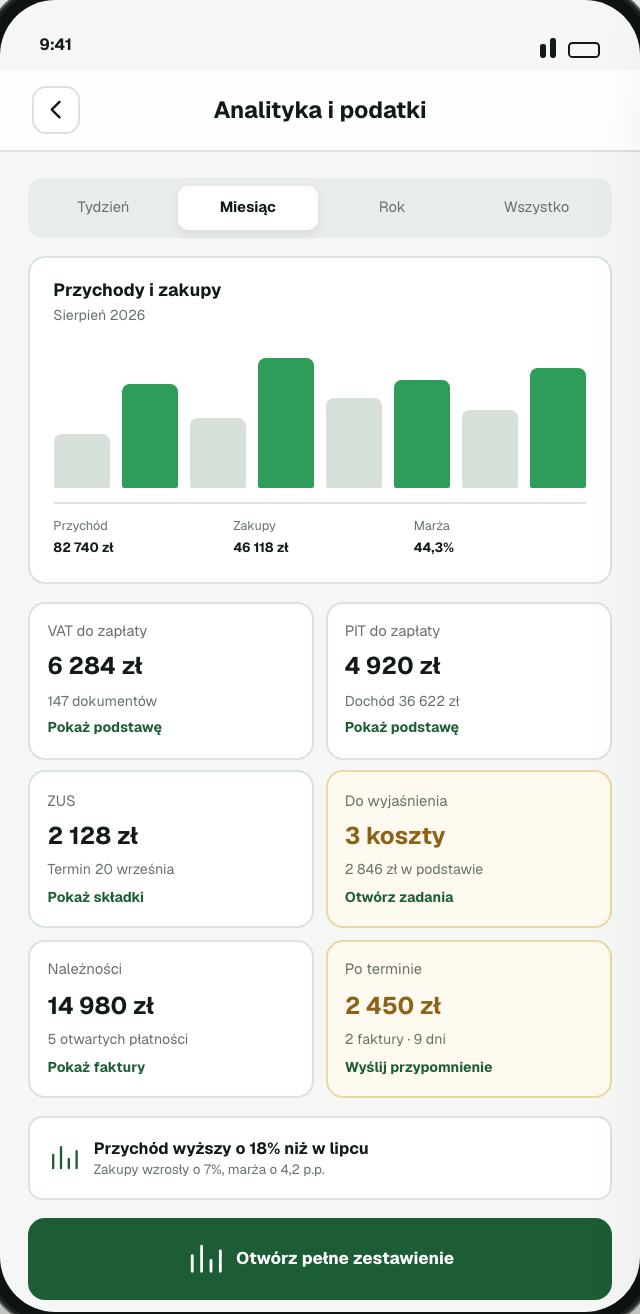
- Payments and analytics: Record payments as they arrive and see monthly totals update across revenue, receivables, VAT, PIT, ZUS and reporting records. The screen shows the state of the month without copying an accountant’s desktop software.
- Clients: Save a client once and reuse the details on future invoices.
- More: Related work is grouped under Analytics and tax, KSeF Centre, monthly reports and registers, accounting and settlements, recurring invoices and business profile.
- Reports: Monthly records bring together sales, purchases, VAT, PIT, ZUS, JPK, payment status and anything still waiting for review. The records can then be exported for the accountant.
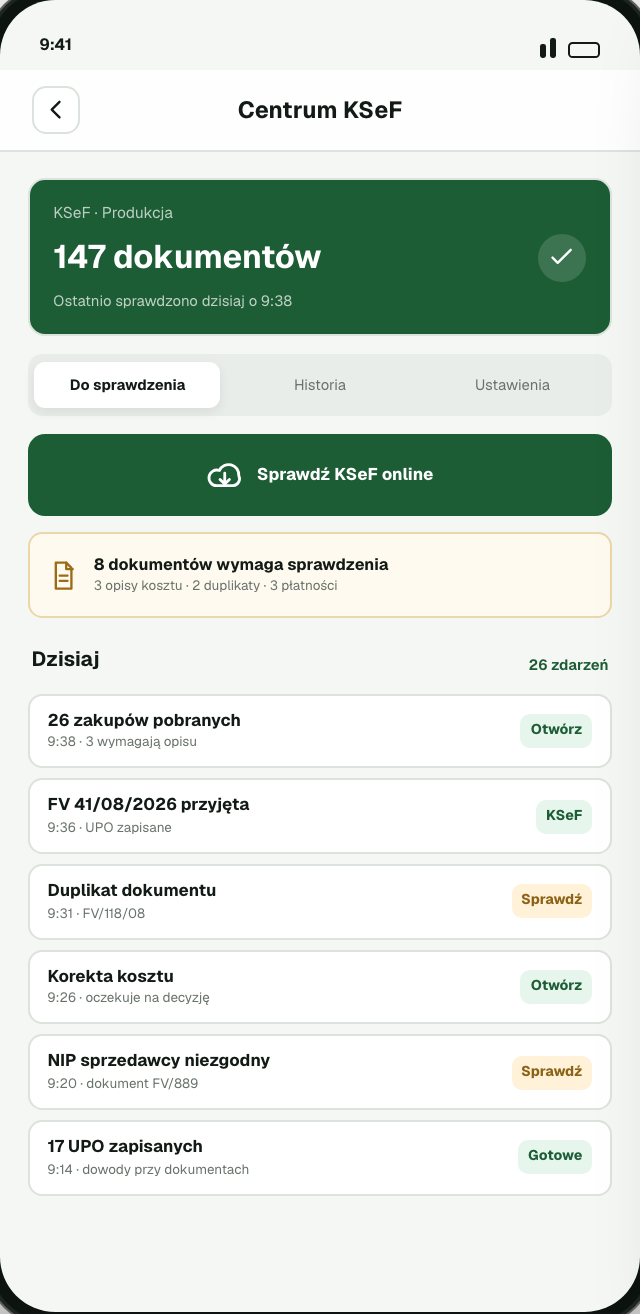
- KSeF Centre: A dedicated view for connection status, checks, accepted, queued and rejected documents, configuration and invoice evidence.
Design decisions
- Light and legible: The white interface uses one green accent and restrained status colours. Money, evidence and unfinished actions carry the visual weight.
- Faster invoice creation: The form follows the order people usually think in: who, what, how much and when. Saved defaults remove repeated work.
- Visible evidence: KSeF connection, exchange status, accepted, queued and rejected counts, UPO-style evidence, payment status and reporting readiness stay visible. People can see what is done and what still needs review.
- Local-first storage: Books and documents stay on the device, with encrypted backup and online access only when KSeF or another chosen online action requires it.
Outcome
InvoiceRate is live on iOS and Android. I designed, built and released the product, including invoice creation, KSeF handling, payment follow-up, tax preparation and accountant handoff.